Gymnopédie No. 1
Erik Satie
Schumann's first Scene from Childhood as a free MIDI: its daydream opens in the preview, piano file and sheet music PDF to take along.

Play it with the 3D hands in Pianovera
Green notes: right hand, blue notes: left hand. Preview played right in your browser with the app's real piano (lightweight version). Inside Pianovera: full multi-layer sound, fingering display and Wait mode.

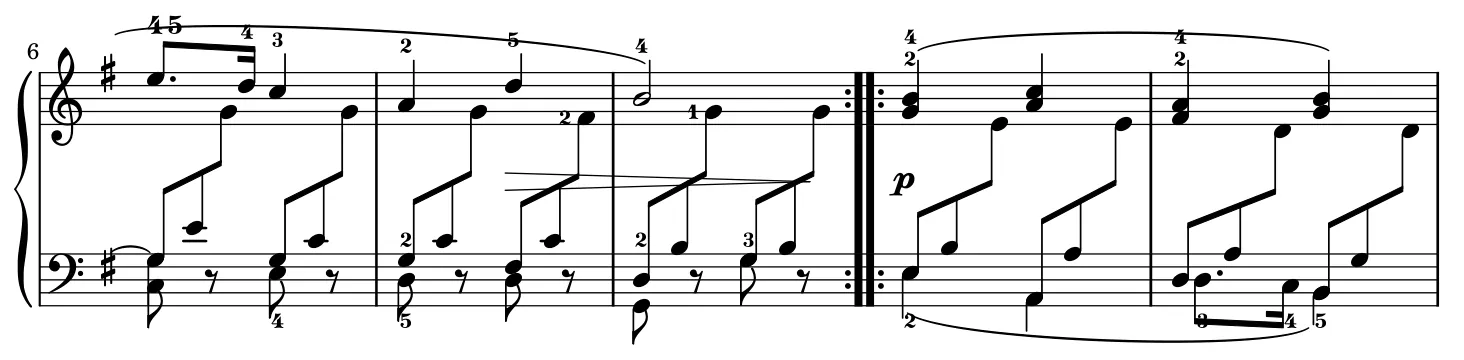
Tap a bar to jump there · engraved by the Mutopia Project.View the whole score (PDF) →
"Of Foreign Lands and Peoples": this is the doorway into the Scenes from Childhood, the collection that holds Träumerei. A questioning melody, a triplet accompaniment that rocks it, and that Schumann blend of simplicity and nostalgia where you never quite know if the MIDI is smiling or remembering.
Only twenty-two bars, but a real little laboratory: the melody has to float above the triplets without crushing them, and the two-against-three rhythm gets learned here gently, at a tempo where everything stays comfortable. The ideal step before Träumerei, which we'd recommend right after.
Right hand, in letter names (C4 = middle C): B4 G4 G5 G4 F#5 F#4 E5 D5 A4 B4 G4 G5 G4 F#5 F#4 E5 D5 A4 B4 G4 G5 G4 E5 G4… The rest scrolls in the preview above, with the fingering, and the sheet music PDF has the whole piece.
Here are the virtual piano notes for the first of the Scenes from Childhood, in computer keyboard letters: the first 8 bars of the melody. One key per note, read left to right; dark keys are the sharps, and a thin line marks each bar.
U ] = P O U ] = P O
U ] P O I Y O U
This is the perfect piece for taming 2 against 3 in Pianovera: at 60% in Scroll mode you literally watch the blue triplets slide under the green eighths. Then move straight to Träumerei, already in the library.
Open Scenes from Childhood No. 1 in Pianovera: the notes fall toward an 88-key virtual piano keyboard, each hand gets its color, and Wait mode is there if you're starting out. On a PC, it's falling notes piano software for Windows, with video export up to 4K.
Free, with no time limit and no ads: 30 pieces (10 in full, 20 in a simplified version), the first 10 lessons and 10 minutes of 3D hands (then 15 seconds per piece). Premium opens all 651 pieces.
Two files are waiting for you: the first of the Scenes from Childhood piano MIDI file (2 KB, opens in Pianovera or any MIDI player) and the first of the Scenes from Childhood piano sheet music PDF (41 KB, printable). Both come from the same engraving: what you read on the score is exactly what you hear in the preview.
The work itself is in the public domain, and this MIDI engraving was placed in the public domain by its typesetter on the Mutopia Project. Use it freely, videos included.
We rate it beginner: 222 notes over 0:37, spanning F#2 to G5. The first thing to work on: two-against-three in its gentlest form.
Right on this page: the "View the sheet music" button opens the PDF (41 KB), engraved by the Mutopia Project from the same source as the MIDI file, Public domain license. View it, print it, keep it.
Yes. Robert Schumann died more than 70 years ago, so the work (1838) is public domain. This MIDI engraving is public domain too: download it and use it freely, videos included.
Erik Satie
Johann Sebastian Bach
Robert Schumann
The Windows version won’t run on a phone.
Get the Android appFree on Google Play, with no time limit.
Play in your browser