The falling notes
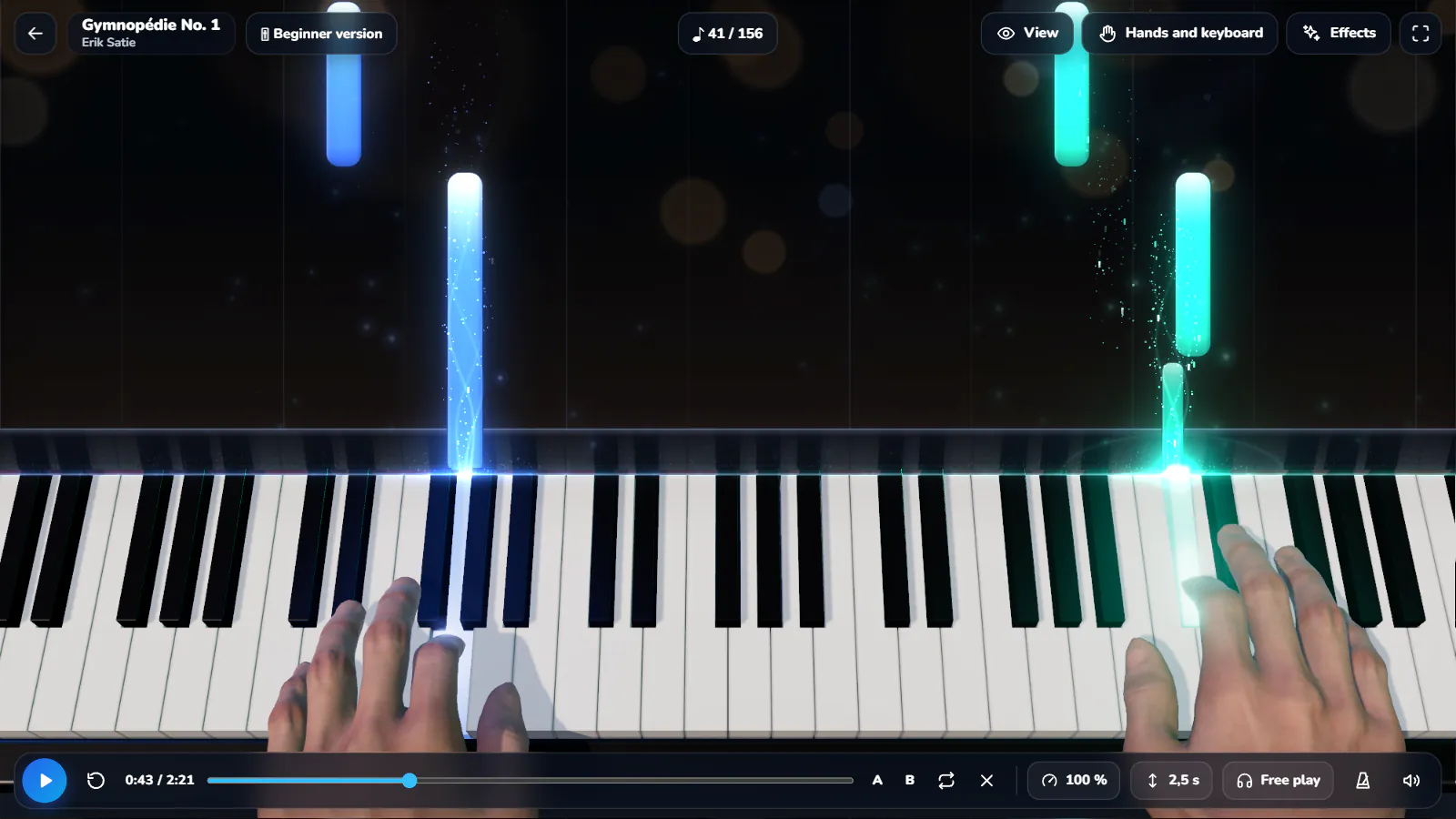
Every note drops toward its key. Blue for one hand, green for the other. Adjustable particles and halos bring the music to life. Turn them off for a minimal view.
Step-by-step online piano lessons for beginners, adults and kids, a daily challenge, and a virtual piano keyboard that plays any MIDI file as falling notes, with fingering and a real piano sound. Play on screen, with a MIDI keyboard or on your real piano through the microphone. 579 pieces included, 30 of them free, each in a beginner, intermediate and original version, on Windows and Android.
One app to learn, practise, listen and create. When you open it, you choose: Learn piano or Play & explore, and one question sets your level.
Lesson by lesson, from your first note to real pieces.
New🏅Today’s challenge, 3 levels, your league.
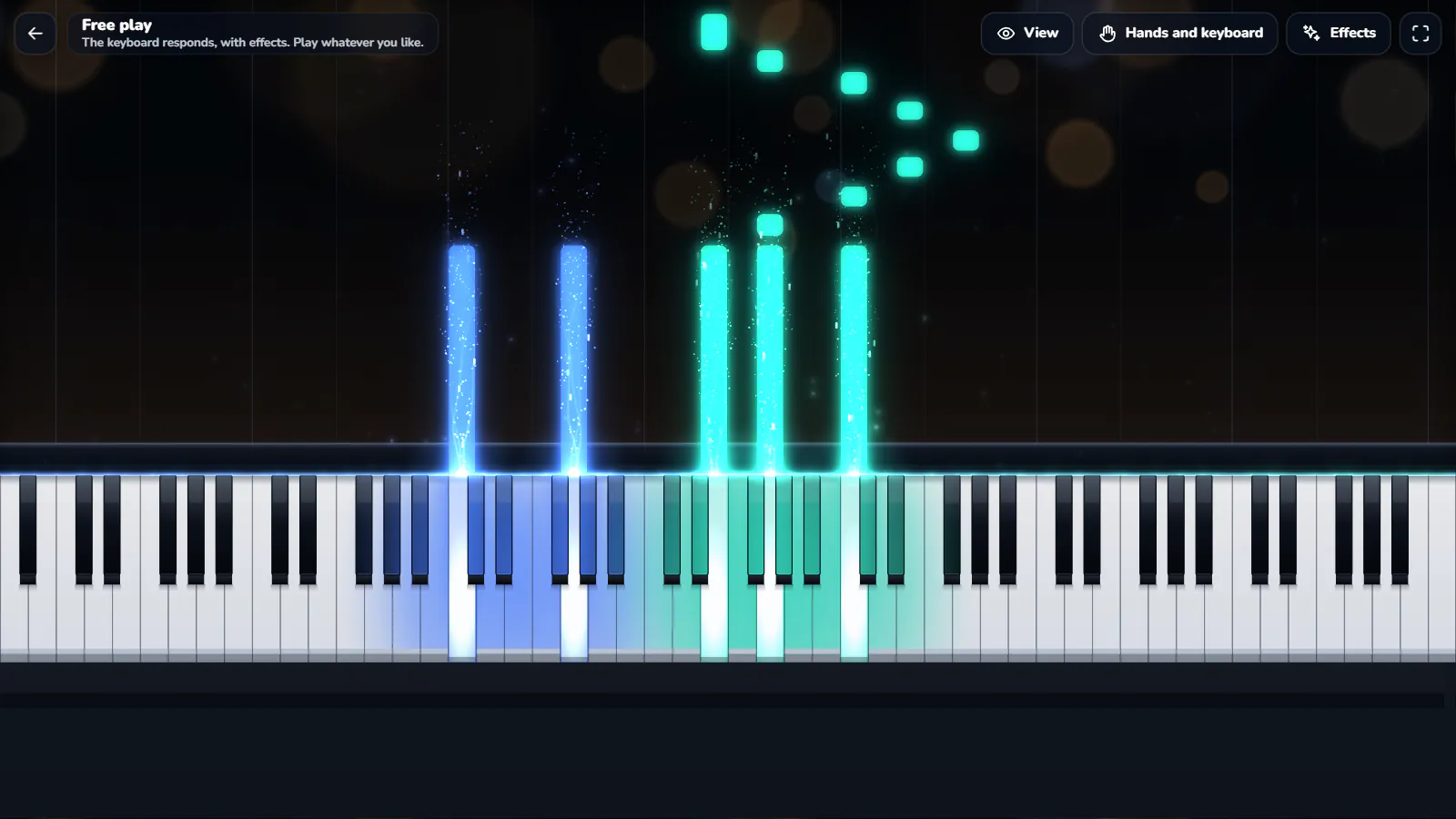
🎹Free session: the keyboard answers, effects included. Play whatever you like.
🎵579 public-domain pieces, 30 of them free, each in 3 versions: beginner, intermediate, original.
🎬Your videos and Shorts, up to 4K on Windows.
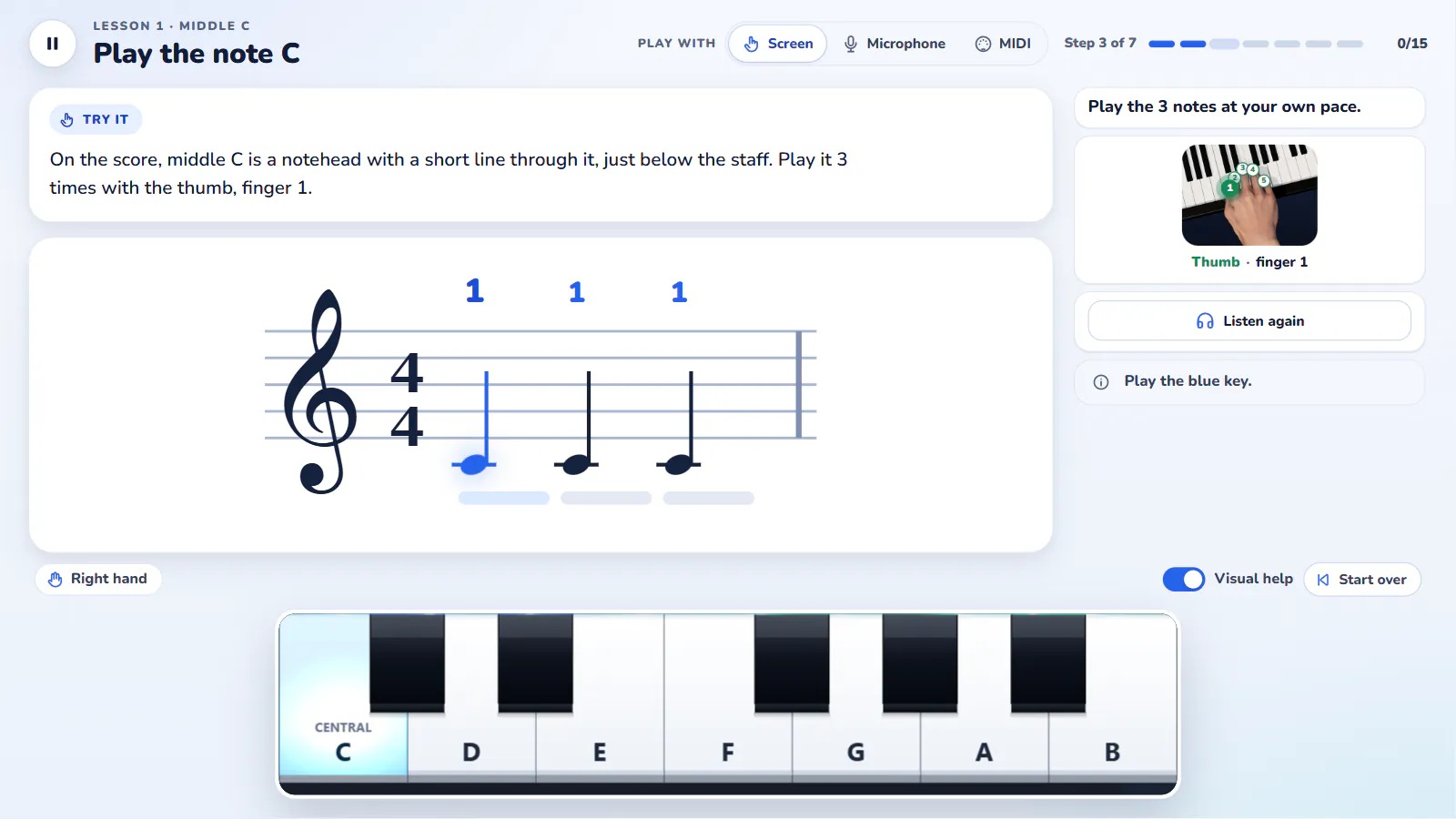
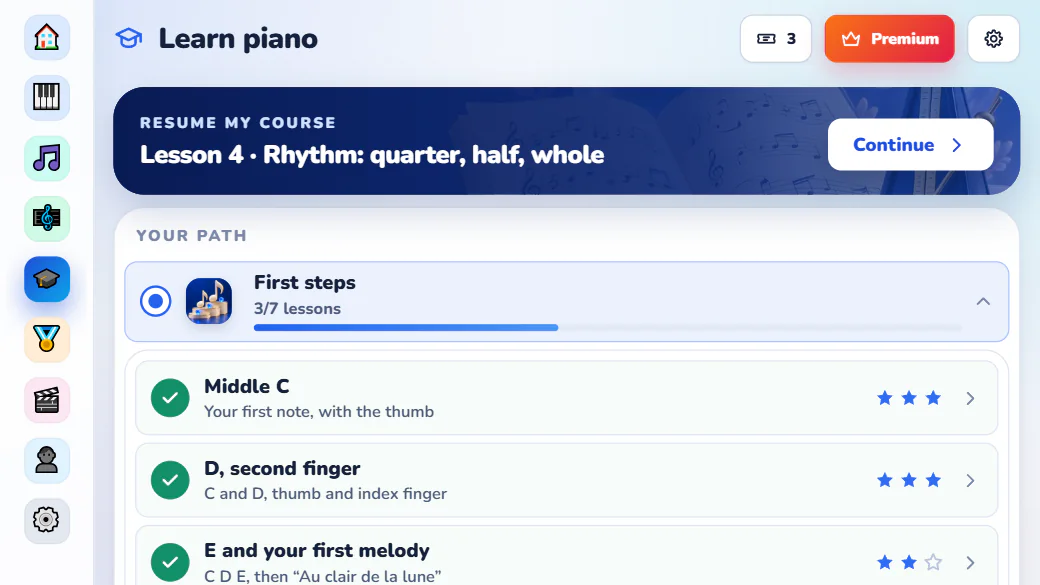
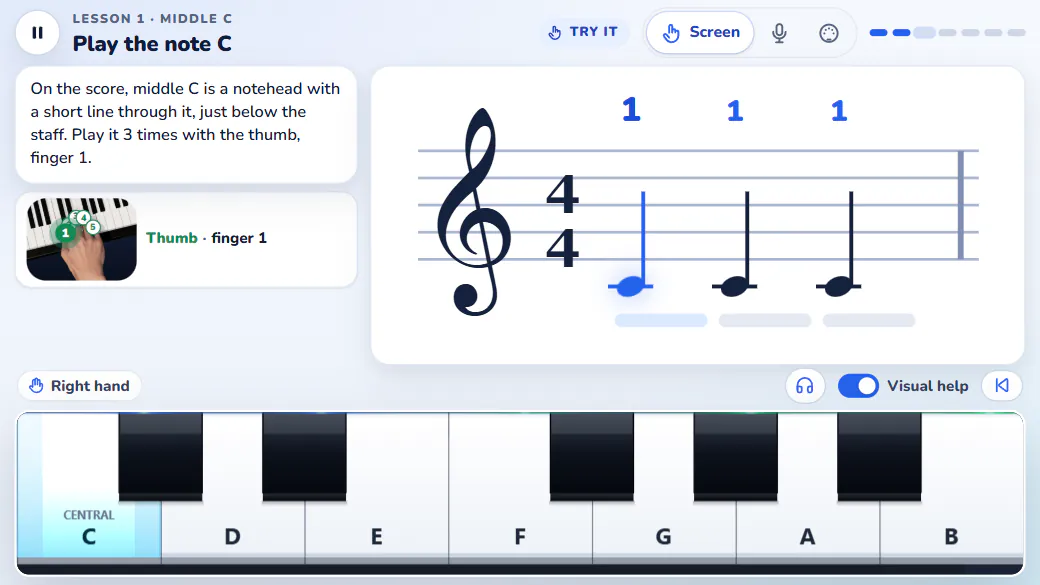
The staff at the top, a small keyboard at the bottom, and one thing to do: play the note that comes next. Each lesson teaches one idea, has you practise it, then checks it with a short quiz. Middle C, the left hand, rhythm, reading: the course moves in that order, with no theory required first. A “3, 2, 1” count-in starts every passage in time, and a missed step comes back a little slower: a lesson never blocks you.
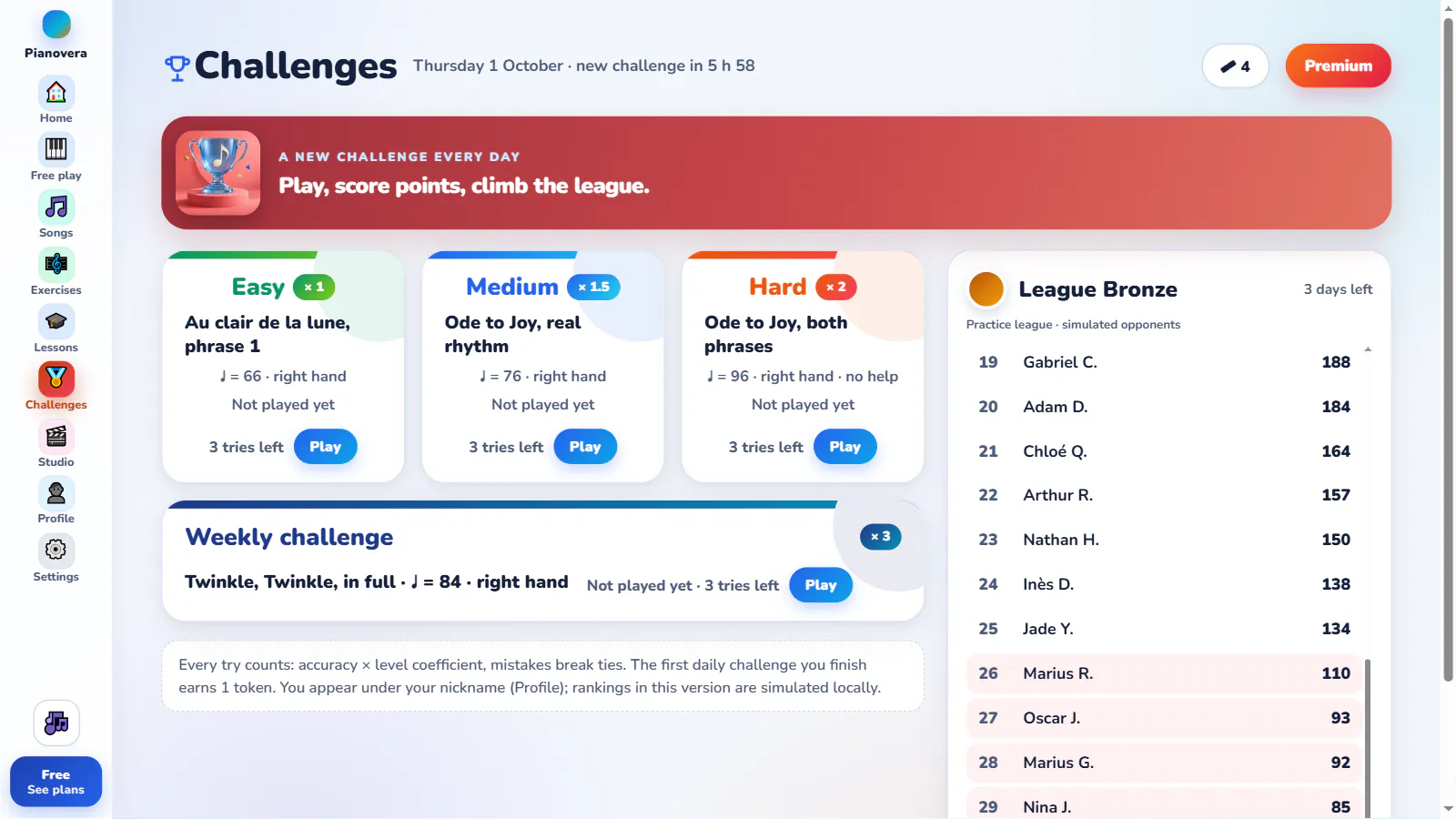
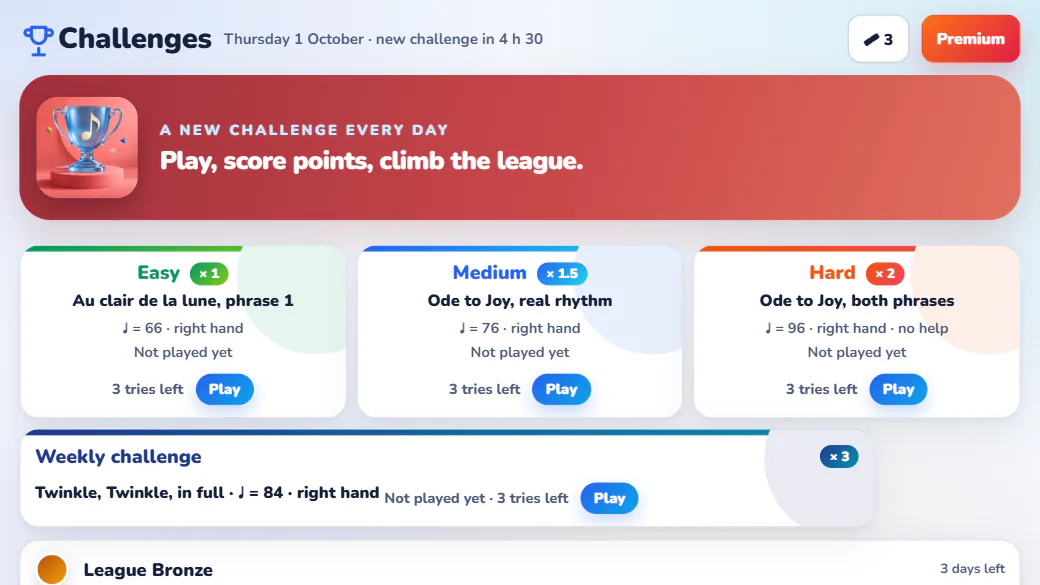
A short excerpt, 3 attempts, a score based on accuracy. Easy, Medium or Hard depending on how you feel today, plus a weekly challenge worth triple. Your points place you in a practice league, from Bronze to Diamond, against simulated opponents: the top 10 move up, the bottom 5 move down.
At each impact, particles rise, a halo glows and light spills onto the neighbouring keys. The contact line follows the music, from the first chord to the final note. 3D hands play the piece right in front of you, even in the free version.
A course, daily challenges, a MIDI player and a video studio. Whether you’re just starting piano or already filming tutorials, it stays simple.
Every note drops toward its key. Blue for one hand, green for the other. Adjustable particles and halos bring the music to life. Turn them off for a minimal view.
Short, ordered piano lessons with a tip, practice and a quiz. Wait mode won’t move until you play the right note, and the gauge shows how long to hold it.
A daily challenge at 3 levels, a weekly challenge, a practice league against simulated opponents. Plus generated exercises: scales, chords, arpeggios, Hanon.
The keyboard answers your MIDI keyboard, the mouse or a finger. The notes you play rise from the keys, with the same effects as a song. Keyboard from 13 to 88 keys.
Set your background, your logo, a title card. Then export to MP4, in 16:9 or vertical for Shorts, up to 4K on Windows.
Grand Piano 26 is included on Windows: a sampled piano that responds to playing dynamics. In the menus, a calm ambient piano played by that same instrument.
A lesson from the course, today’s challenge, one of the 579 pieces included, or a .mid file of your own. Our free public domain MIDI files are ready to play.
Free listen to explore. Wait mode to learn without pressure. Scroll mode if you want to be scored at tempo. One hand, then both. Every piece plays in a beginner, intermediate or original version, with falling notes or classic sheet music and its follow bar.
Your level climbs and the league plays out every week. Or head to the Studio and put out a clean video for your channel.
Connect your MIDI keyboard: Wait mode pauses until you play the right note, the input is read-only and your instrument is never touched. No keyboard at hand? The on-screen keyboard plays with the mouse or a finger, from 13 to 88 keys depending on your screen. Got a real piano? In the lessons, in Note reading and in the pieces (the “Wait” and “Learn in sections” modes), the microphone recognises the notes you play: the sound is analysed on the device, never recorded or sent.
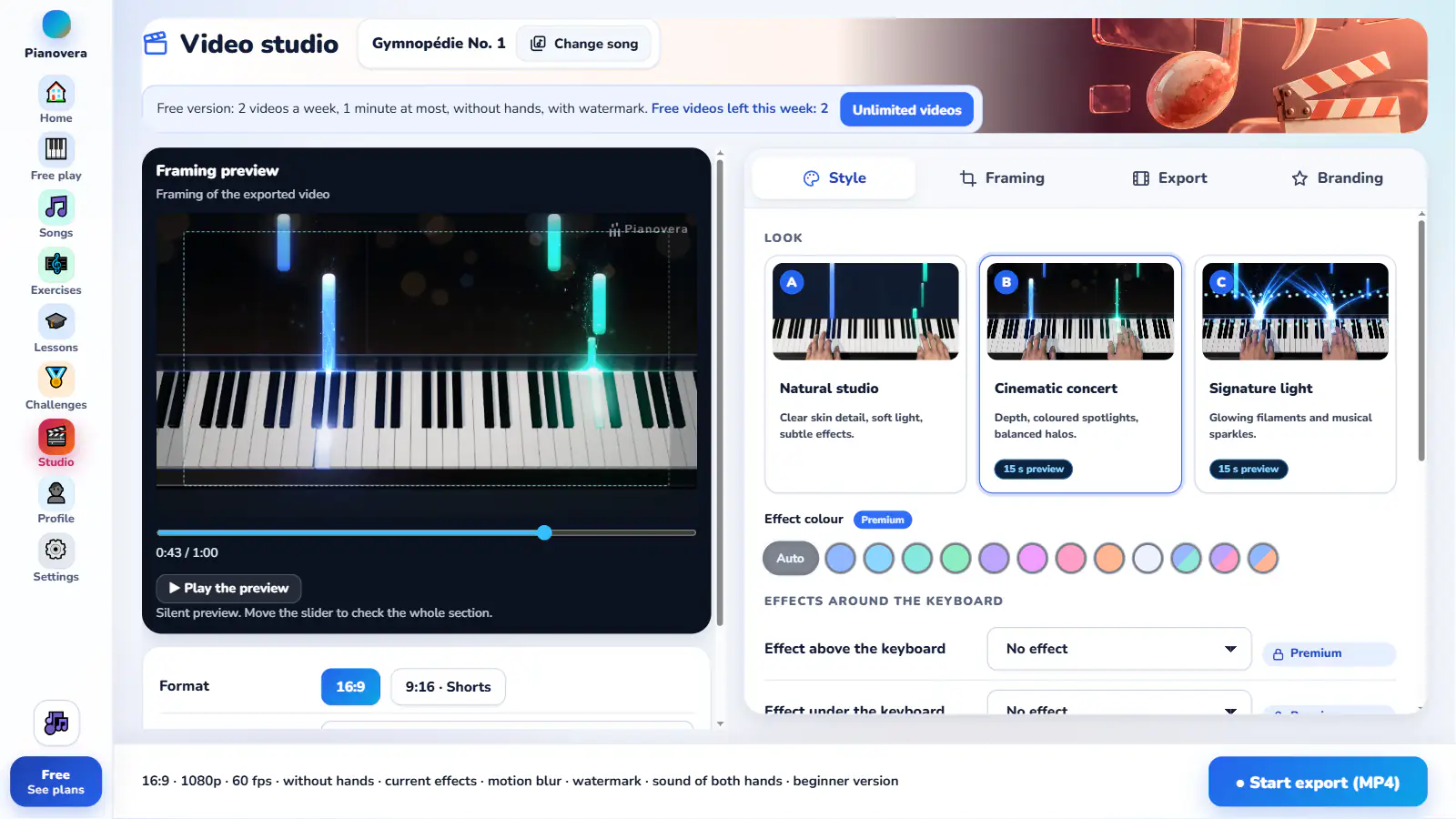
Create widescreen or vertical videos with your background, logo and opening and closing cards. Check the framing in the preview, then export with your effects, the piano sound and, with Premium, the 3D hands. Free version: 2 videos a week, 1 minute at most, without the hands, with the Pianovera watermark.
The Android app carries the course, the challenges, the practice league and the 3D hands, with a touch keyboard sized for each lesson. Free with no time limit, complete with Premium.
Free version with no time limit and no ads: 30 pieces (20 in full, 10 in a simplified version), the first 10 lessons then one more per token earned in the daily challenge, the 3D hands, and 40 seconds of every other piece. Premium, monthly, yearly or lifetime on Google Play, opens all 579 pieces, every lesson and unlimited videos. Plug in a USB MIDI keyboard (OTG adapter) or play your piano into the microphone.
Grand Piano 26 is included in the Windows app. This sampled piano responds to playing dynamics, with an adjustable room ambience. Listen to the sound exported by Pianovera, with no added backing track.
Exported from Pianovera · Grand Piano 26 · 20 seconds · digital score: The Fryderyk Chopin Institute (NIFC), CC BY 4.0
Beginner, parent, tutorial creator or teacher: Pianovera always starts from the same spot, a note falling toward the key to play.
Piano lessons for adults who are starting from zero: 5-minute lessons, the fingering right in front of you, and an app that waits as long as you need. No teacher, no sheet music to decode first.
Piano lessons for kids built like a game: one note at a time, a quiz to check, points, a league. On a tablet or a phone, with the touch keyboard.
Filming piano tutorials for YouTube? Load a MIDI file, pick your style, and export a falling-notes video, up to 4K on Windows, with 3D hands in Premium. No separate editing software needed.
Free or Premium, with no ads. The free version has no time limit, 3D hands included; Premium opens everything, monthly, yearly or for life.
Download for freeNo time limit, no ads
No commitment
That's €2.50 a month, 50% off
One payment
Prices include tax. Premium is also available on Android at the same prices in euros, purchased in the app through Google Play. A purchase applies to the device where it was made; with the optional Google sign-in, you get your Premium back on Windows and on Android. Subscriptions have no commitment: cancel anytime in your Lemon Squeezy customer account (Windows) or in Google Play (Android), and they stay active until the end of the paid period. On Windows, a connection at least every 7 days verifies the subscription. Previously exported videos remain usable.
Standard and Pro licences purchased before 25 September 2026 remain valid for life and now carry Premium rights. Trials already started keep their original duration.
Recommend Pianovera: earn 20% on qualifying initial Windows purchases through your link, excluding renewals and Google Play. Anyone may apply, with no purchase required. Applications are reviewed individually.
Open a song or start the first lesson. The piano sound, the lessons and the 579 pieces (30 free) are already included on Windows.
Windows 10 and 11: Pianovera installs from the Microsoft Store, checked by Microsoft and updated automatically; Grand Piano 26 included, allow 2 GB of free space. Without the Store: Windows 2.0.0 installer, 466 MB, one click and no admin rights needed (on first launch, Windows may show “Windows protected your PC”: click “More info”, then “Run anyway”), or portable version, 739 MB ZIP. Free version with no time limit and no card required: 30 pieces, the first 10 lessons and the 3D hands; Premium opens everything.
Android is distributed through Google Play, with its own free version and its own Premium, monthly, yearly or lifetime. The optional Google sign-in restores your Premium on Windows and on Android.
Already using Pianovera? The app flags updates and installs them in one click, keeping everything: your activated licence, progress and settings stay under the same Windows account. No uninstall or new purchase is needed. With the portable version, you can also extract the new version into a new folder. Installed from the Microsoft Store, Pianovera updates through the Store.
When you open the app, there are 2 ways in: Learn piano (lessons, exercises, challenges) or Play & explore (songs with falling notes, your MIDI files, free play). One question sets your level (I’m just starting, some basics, I already play), and you can change it in Profile. Everything stays accessible whichever you choose: you can switch between the two at any time.
Each lesson shows the staff and a small on-screen keyboard. You play one note after another, with the fingering and a gauge that shows how long to hold each note, then a short quiz checks what you learned. A “3, 2, 1” count-in starts every passage in time, and a missed step comes back a little slower: a lesson never blocks you. The lessons go from the very first note to your first pieces, on screen, on a MIDI keyboard or on your real piano through the microphone. See the full course.
Yes. The course starts at middle C and moves forward with no prior theory, at your own pace, with short lessons. Wait mode pauses until you play the right note, and you can replay any lesson as often as you like.
Every day, a short excerpt to play at 3 difficulty levels, with 3 attempts and a score based on accuracy. A weekly challenge is worth more points. Your points place you each week in a practice league, from Bronze to Diamond, against simulated opponents.
Yes, that’s the core of it. Open any .mid or .midi file and Pianovera turns it into falling notes on a virtual piano keyboard, left hand in blue, right hand in green.
No. Lessons, challenges and the free session also work on the on-screen keyboard, with the mouse or a finger. A MIDI keyboard gives you the real touch: Pianovera then follows the notes you play, read-only, and never sends anything back to your instrument. And if you have a real piano, the microphone recognises your notes in the lessons, in Note reading and in the pieces (the “Wait” and “Learn in sections” modes): the sound is analysed on the device, never recorded or sent.
Yes, on Windows and on Android, with no time limit and no ads. The free version includes 30 pieces (on Android, 20 in full and 10 in a simplified version), the first 10 lessons then one more per token earned in the daily challenge, the challenges, the 3D hands and the Natural studio look. Other pieces and your MIDI files play as 40-second excerpts, and a Pianovera watermark shows on screen.
No: there is no trial, and the free version has no time limit. You move to Premium only if you want to, monthly, yearly or for life: it opens all 579 pieces in full, every lesson, every look and stage mode, and unlimited videos, with the 3D hands and no watermark. Trials already started keep their original duration, and your progress is preserved.
Playback, sound, lessons and export run locally. Internet is needed to activate your purchase, check for updates or use the public piano map. On Windows, a monthly or yearly Premium subscription needs a connection at least every 7 days. No account is required; the optional Google sign-in restores your Premium on Windows and on Android.
Yes: a virtual piano keyboard with 13 to 88 keys on screen, the sound of a sampled piano, and any MIDI file played with falling notes. You play along on your MIDI keyboard, on the screen, or simply watch and listen. It’s a learning app and a piano MIDI player, not a browser toy. The virtual piano in detail.
Yes, on Windows and on Android, even in the free version. In exported videos, the 3D hands are reserved for Premium.
Every piece in the library comes in three versions computed from the original score; a piece that is already very simple keeps only its original version. Intermediate: the whole piece, but passages too fast for one hand are reduced to eighth notes and chords limited to two notes on strong beats. Beginner: one step below, the melody intact but one note at a time, with the left hand reduced to the beats. Original: the piece as written. You pick the version when you start a piece; passing a version at 85% suggests the next one.
Yes. The Sheet music view shows a real score page (brace, clefs, key signature, bars, rests, two or three lines) with a moving cursor and page turns, or two mixed views: a single page line, or a scrolling band, with falling notes below. It works in every mode: in Wait mode, the score stops on the expected note.
Yes, on Windows and on Android. The Studio exports an MP4 in 16:9 or vertical for Shorts; on Windows, with your background, your logo and your title card, up to 4K. The free version allows 2 videos a week, 1 minute at most, without the hands and with the Pianovera watermark. With Premium: unlimited videos, with the 3D hands and no watermark.
On Windows: English, French, Spanish, German, Portuguese and Italian, lessons included. On Android: English, French, Spanish and German for now; Portuguese and Italian come with the next update. You change the language in Settings.
The Windows build is here, and so is the Android app. A macOS version is in the works.
The Windows version won’t run on a phone.
Get the Android appFree on Google Play, with no time limit.